


Understanding the ROUND Function
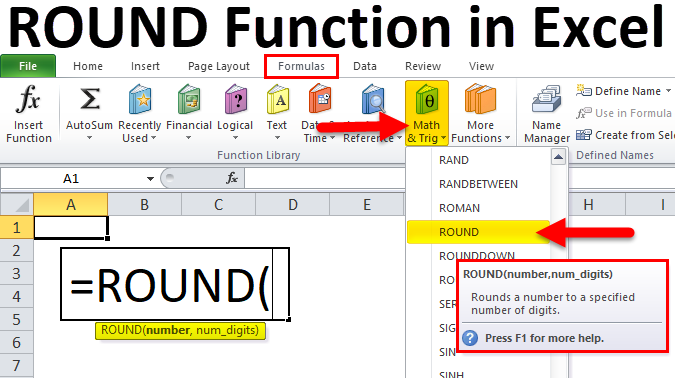
The ROUND function in Excel is used to round a number to a specified number of decimal places. It's a common tool for formatting numbers and simplifying calculations.
Basic Syntax:
Excel
=ROUND(number, num_digits)
- number (required): The number you want to round.
- num_digits (required): The number of decimal places to round to.
Examples:
-
Rounding to Two Decimal Places:
- To round 3.14159 to two decimal places:
This will return 3.14.Excel
=ROUND(3.14159, 2)
- To round 3.14159 to two decimal places:
-
Rounding to Zero Decimal Places (Nearest Integer):
- To round 3.7 to the nearest integer:
This will return 4.Excel
=ROUND(3.7, 0)
- To round 3.7 to the nearest integer:
-
Rounding Down:
- To round 3.7 down to the nearest integer:
This will return 3.Excel
=ROUNDDOWN(3.7, 0)
- To round 3.7 down to the nearest integer:
-
Rounding Up:
- To round 3.7 up to the nearest integer:
This will return 4.Excel
=ROUNDUP(3.7, 0)
- To round 3.7 up to the nearest integer:
Additional Considerations:
- Negative Numbers: The ROUND function also works with negative numbers.
- Zero Decimal Places: Rounding to zero decimal places effectively rounds to the nearest integer.
- Nested Functions: You can use ROUND within other functions.
Advanced Usage:
- Formatting Numbers: Use ROUND to format numbers for display or reporting.
- Financial Calculations: Round values in financial calculations to avoid rounding errors.
- Data Analysis: Round numbers to simplify analysis or reduce noise.
Example: Formatting Currency
To format a currency value in cell A1 to two decimal places:
Excel
=ROUND(A1, 2)
Key Points to Remember:
- The ROUND function rounds numbers to a specified number of decimal places.
- It can be used for formatting, calculations, and data analysis.
- Consider using ROUNDDOWN or ROUNDUP for specific rounding behaviors.
- Explore advanced usage for various applications.
By understanding and effectively using the ROUND function, you can streamline your data analysis and present your results in a clear and concise manner.


 English
 Arabic
 French
 Spanish
 Portuguese
 Deutsch
 Turkish
 Dutch
Dutch
 Italiano
 Russian
 Romaian
 Portuguese (Brazil)
