


Creating a login form using HTML and CSS

0
11χλμ.

Creating a login form using HTML and CSS is a fundamental skill in web development. Here's a step-by-step guide to building a simple and responsive login form:
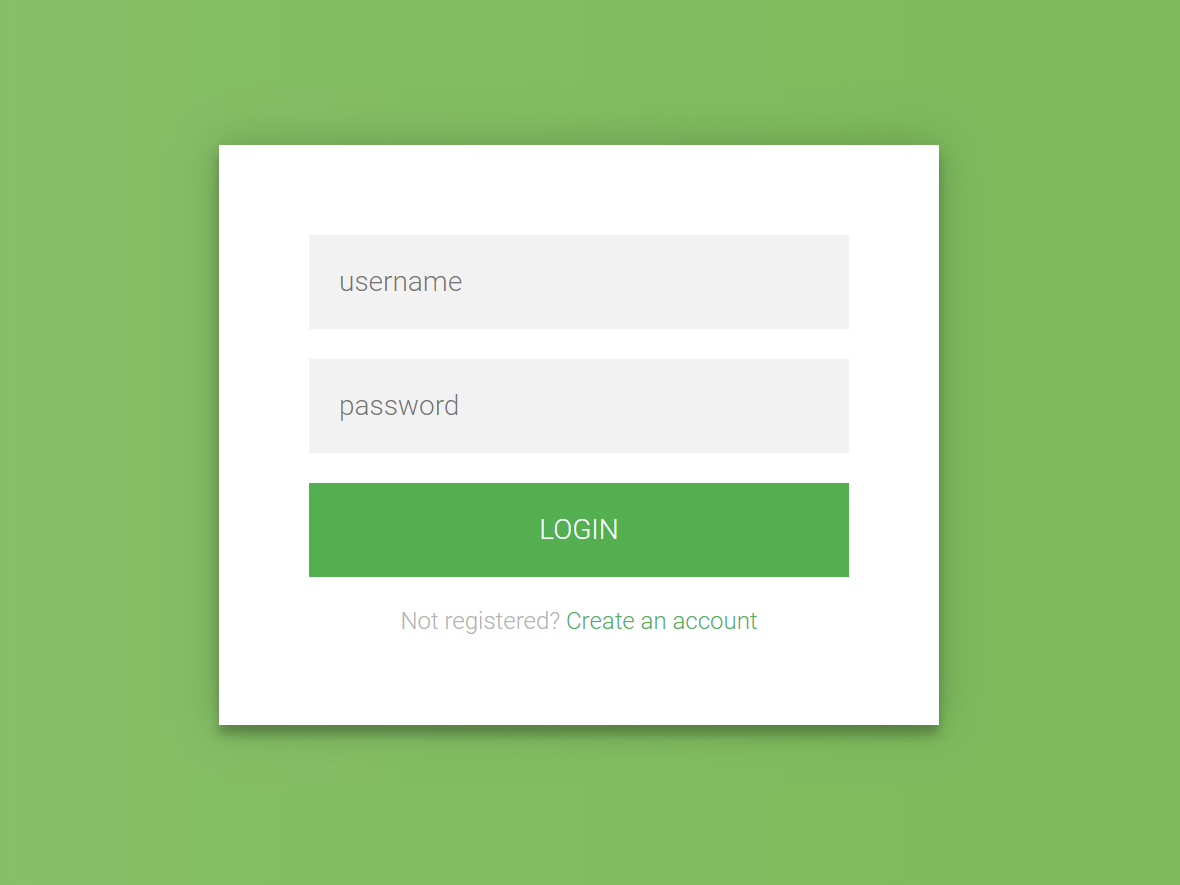
1. HTML Structure

Begin by setting up the basic HTML structure for the login form. This includes a container for the form elements such as the username and password fields, and a submit button.

html
<!DOCTYPE html> <html lang="en"> <head> <meta charset="UTF-8"> <meta name="viewport" content="width=device-width, initial-scale=1.0"> <title>Login Form</title> <link rel="stylesheet" href="styles.css"> </head> <body> <div class="login-container"> <h2>Login</h2> <form action="/login" method="post"> <label for="username">Username</label> <input type="text" id="username" name="username" required> <label for="password">Password</label> <input type="password" id="password" name="password" required> <button type="submit">Login</button> </form> </div> </body> </html>

Explanation:

  • The <form> element wraps the input fields and the submit button.
  • Each <label> is associated with an <input> field, enhancing accessibility.
  • The required attribute ensures that users cannot submit the form without filling in these fields.

2. CSS Styling

Next, style the form to make it visually appealing and responsive.

css
 
/* styles.css */ body { display: flex; justify-content: center; align-items: center; height: 100vh; margin: 0; font-family: Arial, sans-serif; background-color: #f2f2f2; } .login-container { width: 100%; max-width: 400px; padding: 20px; background-color: #fff; box-shadow: 0 0 10px rgba(0, 0, 0, 0.1); border-radius: 8px; } h2 { text-align: center; margin-bottom: 20px; } label { display: block; margin-bottom: 5px; font-weight: bold; } input[type="text"], input[type="password"] { width: 100%; padding: 10px; margin-bottom: 15px; border: 1px solid #ccc; border-radius: 4px; box-sizing: border-box; } button { width: 100%; padding: 10px; background-color: #4CAF50; color: white; border: none; border-radius: 4px; cursor: pointer; font-size: 16px; } button:hover { background-color: #45a049; }

Explanation:

  • The body is styled to center the login form both vertically and horizontally.
  • The .login-container class styles the form container with a fixed width, padding, background color, shadow, and rounded corners.
  • Input fields and the button are styled for better user experience, with padding, borders, and hover effects.

3. Responsive Design

To ensure the form is responsive on various screen sizes, the .login-container is set to a maximum width and uses percentage-based widths for its elements. This allows the form to resize appropriately on different devices.

Love
1
Αναζήτηση
Κατηγορίες
Διαβάζω περισσότερα
Technology
Understanding the Excel Interface
Excel's interface is designed to be user-friendly, but it can seem overwhelming at first. Let's...
από Microsoft Excel 2024-07-26 04:31:22 0 10χλμ.
Chemistry
S.4 CHEMISTRY WAKATA PRE MOCK QUESTIONS 2
https://acrobat.adobe.com/id/urn:aaid:sc:EU:85bd6cfc-45b5-4737-b430-d0e1fce698e9
από Landus Mumbere Expedito 2024-07-19 23:27:53 0 9χλμ.
Technology
Understanding the IF Function
step-by-step guide on using the IF function in Excel, incorporating best practices and addressing...
από Microsoft Excel 2024-09-03 03:12:25 0 9χλμ.
Physics
UACE WAKISSHA PHYSICS PAPER 1 2024
από Landus Mumbere Expedito 2024-08-01 13:12:24 0 11χλμ.
Technology
Forms of Computer Software Attacks
Computer software attacks are malicious activities aimed at compromising the security, integrity,...
από ALAGAI AUGUSTEN 2024-07-13 17:30:11 0 10χλμ.
Talksphare https://talksphare.com
